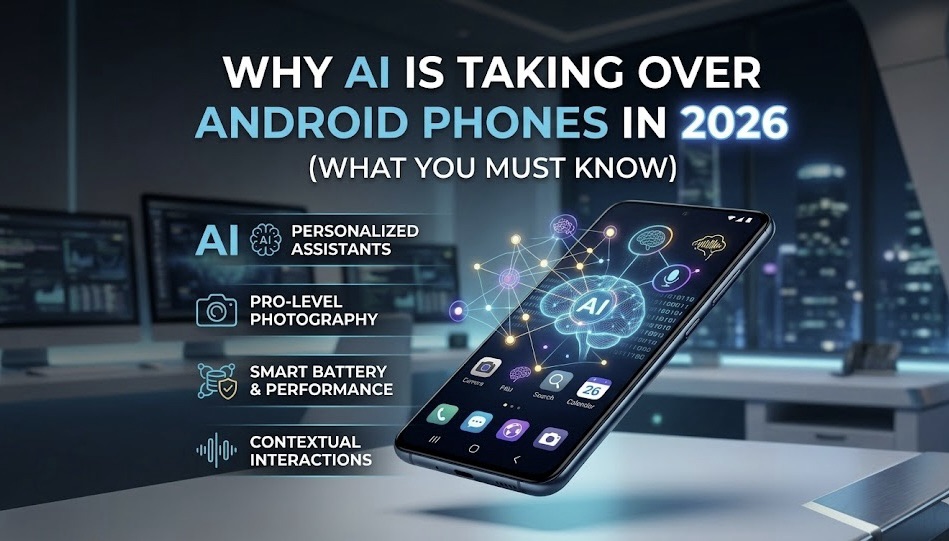
Artificial Intelligence (AI) is no longer just a buzzword—it has become the backbone of modern smartphones. In 2026, Android devices are smarter, faster, and more intuitive than ever before, thanks to rapid advancements in AI technology. From predicting what you type to automating daily tasks and improving security, AI is quietly working behind the scenes to make your smartphone experience seamless.
Companies like Google are pushing AI deeper into Android through tools like Google Gemini, while apps like ChatGPT are transforming how users interact with their devices.
But why exactly is AI taking over Android phones? And what does it mean for you as a user in 2026?
Let’s break it down.
What is AI in Android?
AI in Android refers to the use of machine learning and intelligent algorithms that allow your phone to learn from your behaviour and make decisions automatically. Unlike traditional software, AI systems improve over time based on how you use your device.
For example:
- Your phone suggests replies to messages
- Camera automatically enhances photos
- Apps open faster based on your usage habits
- Voice assistants understand natural language better
In simple terms, AI makes your phone “think” and act smarter.
Why AI is Growing So Fast in 2026
There are three main reasons behind the rapid rise of AI in Android smartphones:
1. More Powerful Processors
Modern Android phones now come with dedicated AI chips (NPUs – Neural Processing Units). These chips allow AI tasks to run directly on your phone without needing internet access.
This means:
- Faster performance
- Better privacy
- Real-time processing
2. Explosion of Data
Every action you take on your phone—searching, typing, browsing—creates data. AI uses this data to understand your preferences and improve your experience.
3. Demand for Automation
Users want convenience. AI helps automate repetitive tasks like:
- Replying to messages
- Organizing photos
- Managing notifications
This demand is pushing companies to integrate more AI features.
Key Areas Where AI is Taking Over Android
1. Smart Assistants
AI-powered assistants have become more human-like than ever. Tools like Google Gemini can:
- Answer complex questions
- Summarize content
- Help with writing and tasks
These assistants are no longer limited to voice commands—they now understand context and intent.
2. AI in Everyday Apps
Apps are becoming smarter with AI integration. For example:
- ChatGPT helps with writing, coding, and learning
- Grammarly improves your grammar in real-time
- Canva creates designs automatically
This means your phone is no longer just a tool—it’s becoming your personal assistant.
3. Camera and Photography
AI has completely transformed smartphone photography.
Now your phone can:
- Detect scenes automatically
- Adjust lighting and colors
- Remove unwanted objects
- Enhance night photos
Even budget phones now offer AI-powered cameras that rival professional photography in some cases.
4. Battery Optimization
AI helps your phone last longer by learning your usage habits.
It can:
- Limit background apps
- Optimize power consumption
- Predict when you need battery most
This feature is often called “Adaptive Battery” in Android devices.
5. Security and Privacy
AI plays a major role in protecting your data.
It helps with:
- Face recognition and fingerprint unlocking
- Detecting suspicious apps
- Blocking spam calls and messages
Unlike traditional security systems, AI can identify threats in real-time.
6. Performance Boost
AI ensures your phone runs smoothly by:
- Prioritizing frequently used apps
- Managing RAM efficiently
- Reducing lag and delays
That’s why newer Android phones feel faster even with heavy usage.

Real Examples of AI in Android (2026)
Here are some real-world AI features you might already be using:
- Smart Reply in messaging apps
- Google Photos automatic editing
- Voice typing with near-perfect accuracy
- AI-generated wallpapers and themes
- Real-time translation during calls
These features show how deeply AI is integrated into daily smartphone use.
Benefits of AI in Android Phones
1. Saves Time
AI automates tasks, reducing manual effort.
2. Improves Productivity
You can complete tasks faster with AI assistance.
3. Better User Experience
Your phone adapts to your preferences.
4. Enhanced Creativity
AI tools help with writing, design, and content creation.
Challenges and Concerns
While AI offers many benefits, there are also some concerns:
1. Privacy Issues
AI relies on data, which raises concerns about how your information is used.
2. Over-Reliance on Technology
Users may become too dependent on AI tools.
3. Battery and Storage Usage
Some AI features may consume more resources.
However, companies like Google are continuously working to improve efficiency and privacy controls.

The Future of AI in Android
The future of Android is clearly AI-driven.
In the coming years, we can expect:
- Fully automated smartphones
- AI that understands emotions
- Smarter voice assistants
- Deeper integration across apps
Your phone may soon act more like a personal companion than just a device.
Tips to Use AI Features Effectively
To get the most out of AI on your Android phone:
- Keep your phone updated
- Explore AI settings in your device
- Use trusted AI apps
- Manage app permissions carefully
Learning how to use AI properly can significantly improve your daily productivity.
Conclusion
AI is not just a feature anymore—it’s the foundation of modern Android smartphones. From smart assistants to advanced security and automation, AI is transforming how we use our devices in 2026.
Whether you realize it or not, AI is already working behind the scenes to make your life easier. As technology continues to evolve, embracing AI will help you stay ahead and make the most of your smartphone.
If you haven’t explored AI features on your Android device yet, now is the perfect time to start.